Fifteen years of hands-on technical notes: Linux, Kubernetes, AWS, databases, networking, and the home lab.
The workshop archive: hands-on notes from fifteen years of building things, spanning Linux, Kubernetes, AWS, databases, and the home lab. I keep these here because the best architecture advice comes from people who have actually done the work. For current writing on technology strategy and AI adoption, see Posts.
Turning a Wake-on-LAN script into a Mac app
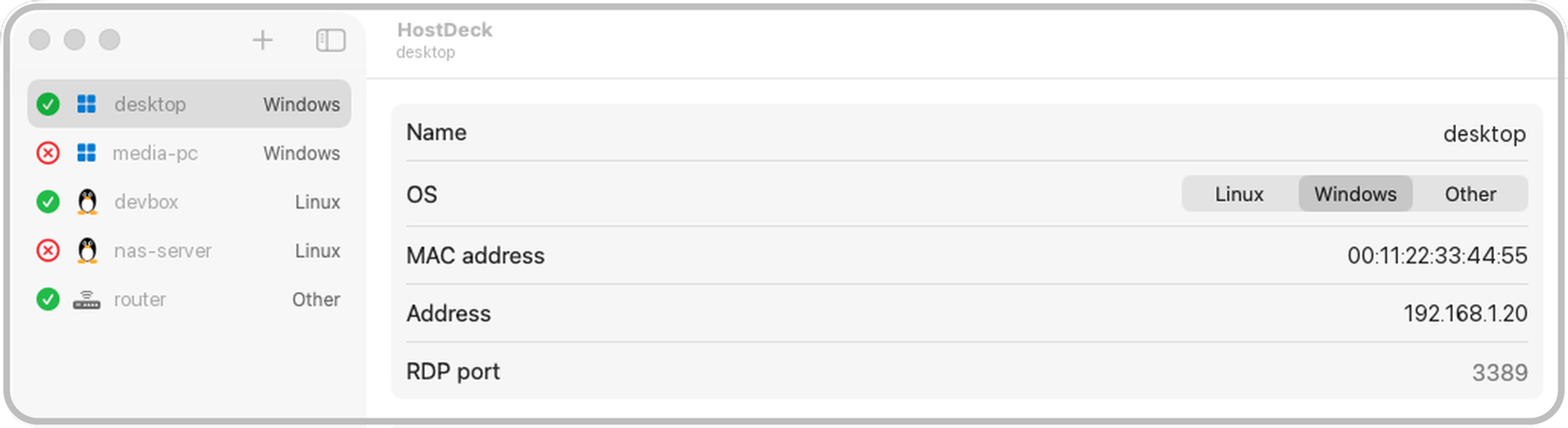
I’ve woken the machines in my home lab for a while now with a small Python script called wake, which sends a Wake-on-LAN packet to whichever host I name. It does the job, although it doesn’t tell me whether the machine has actually come up, so I usually follow it with a few pings before I try to connect.
One Sunday afternoon I asked Claude Code to turn the script into a proper Mac app, and I pointed it at an older Linux version of the script that waits for the host to answer and then opens an SSH session....
Create a Windows VM in AWS using terraform
AWS Windows Server Deployment with Terraform This is a simple Terraform configuration for deploying a Windows Server instance on AWS—a useful setup if you occasionally need a quick Windows environment for testing, development, or troubleshooting. It provisions a basic infrastructure including a VPC, subnet, and an RDP-accessible Windows Server instance. Access is restricted to your own IP address to provide a reasonable layer of security without over-complicating things.
Code The code can be found in this github repository....
CompTIA DataSys+ Notes
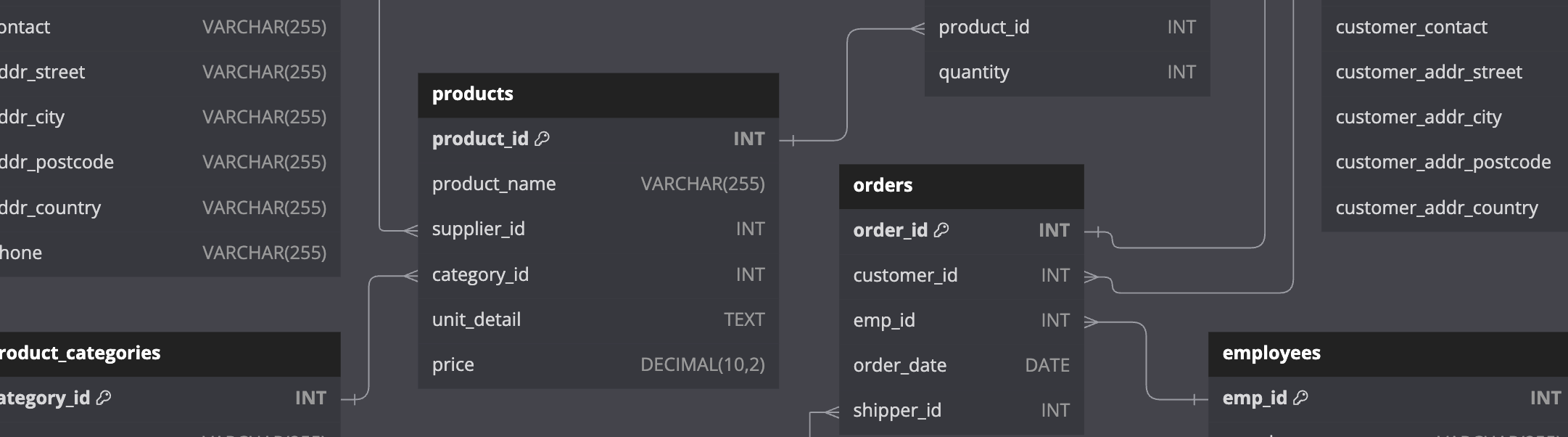
As I prepared for the CompTIA DataSys+ exam, I gathered a series of notes and observations that helped me deepen my understanding of the database concepts which are covered in the exam's syllabus. In this post, I’m sharing some of those details. Some of the topics discussed extend beyond the scope of the exam, and not everything included in the exam's syllabus is documented. This post also contains details of the test database I designed for hands-on practice....
Time Machine Backups with Docker: A Simple Setup
This post explains how I run samba and avahi-daemon inside a docker container to act as a time-machine server for all the Mac computers on my home network.
Dockerfile I used ubuntu:focal as a base image and created the following Dockerfile:
FROM ubuntu:focal #Install samba and avahi-daemon inside the image RUN apt update && apt install samba avahi-daemon -y #Expose the ports which are needed for samba and avahi-daemon EXPOSE 137/udp 138/udp 139 445 5353/udp #Copy config files into the image COPY smb....
Temporary Cloud VPN with EC2 and Wireguard
This quick terraform project sets up an EC2 instance, configures wireguard, generates the required keys (including a PSK) and provides the wireguard “Client” configuration.
The code can be found here
WARNING: Cloud network egress/throughput will incur costs which can vary from region to region.
Purpose This terraform code (and associated template file containing a bash script) will create an EC2 instance which is running wireguard and can be used as a VPN endpoint....
Building a Kubernetes Cluster on EC2
Github Repo All the code required can be found in the github repo: github.com/edrandall-dev/kubernetes-on-ec2
Introduction Last year, when I was learning Kubernetes, I wanted to create my own cluster on AWS using EC2 instances. The idea behind this was go through the installation of Kubernetes from start to finish, learning everything I needed to along the way.
I’ve also used Amazon’s Elastic Kubernetes Service (EKS) to deploy Neo4j using the official Neo4j Helm Charts....
Cloudflare Tunnels: A Quicker Way to Reach Your Home Lab
Setting up your own VPN can be complex In this post, I went through how I’ve setup Wireguard to be able to connect back to my home network when on the road. When it comes to choosing a VPN, Wireguard stands out for me in terms of speed, security and ease of configuration. However, there are a few complexities associated with setting up any VPN to securely connect back to a home network....
Kubernetes Notes & CKA Exam Prep
Overview This post covers 3 major topics:
Kubernetes Lab Environment: The steps that I took to setup a Kubernetes cluster from scratch, in a self-hosted virtualised environment using Oracle Virtualbox and Hashicorp Vagrant Kubernetes Notes, Commands and Manifests: A collection of commands which I noted down as part of my preparation for the Certified Kubernetes Administrator exam Information Sources: A list of links to the main sources of information which I used when creating this environment and learning Kubernetes Kubernetes Lab Environment The VMs which formed the Kubernetes cluster were deployed on a Dell Precision workstation with plenty of CPU and RAM resources:...
Getting started with Kubernetes on Amazon EKS using Helm
In this post, I will go over the steps needed to provision a Kubernetes cluster in AWS, and deploy a Neo4j cluster using Neo4j’s helm charts.
This post takes steps from the official Neo4j Kubernetes Documentation
Prerequisites An AWS Account Configured AWS Command Line Interface An SSH Key named id_rsa.pub. If you do not have one, you can generate it by running: ssh-keygen -t rsa -C "[email protected]" Setting up a Kubernetes Cluster in EKS Installation of tools and applications In order to create a Kubernetes (EKS) cluster in AWS, you will need to download the following applications: kubectl...
Announcing the newest Neo4j and AWS Partner Solution
My post on the neo4j blog explains how to get up and running with Neo4j using the AWS partner solution.
AWS Partner Solutions (formerly known as AWS Quick Start) are pre-configured reference deployments that work seamlessly with Amazon Web Services (AWS) and follow AWS’s recommended design practices. They provide customers with a variety of deployment options for managing their workloads on AWS.
Neo4j’s AWS Partner Solution for AWS is a quick and easy way to deploy a fully-managed Neo4j cluster on the AWS platform....